BulletDesigner Workbench

Introduction
The BulletDesigner Workbench is an external workbench for FreeCAD that provides parametric bullet and projectile design with integrated ballistic calculations, material database, and export capabilities.
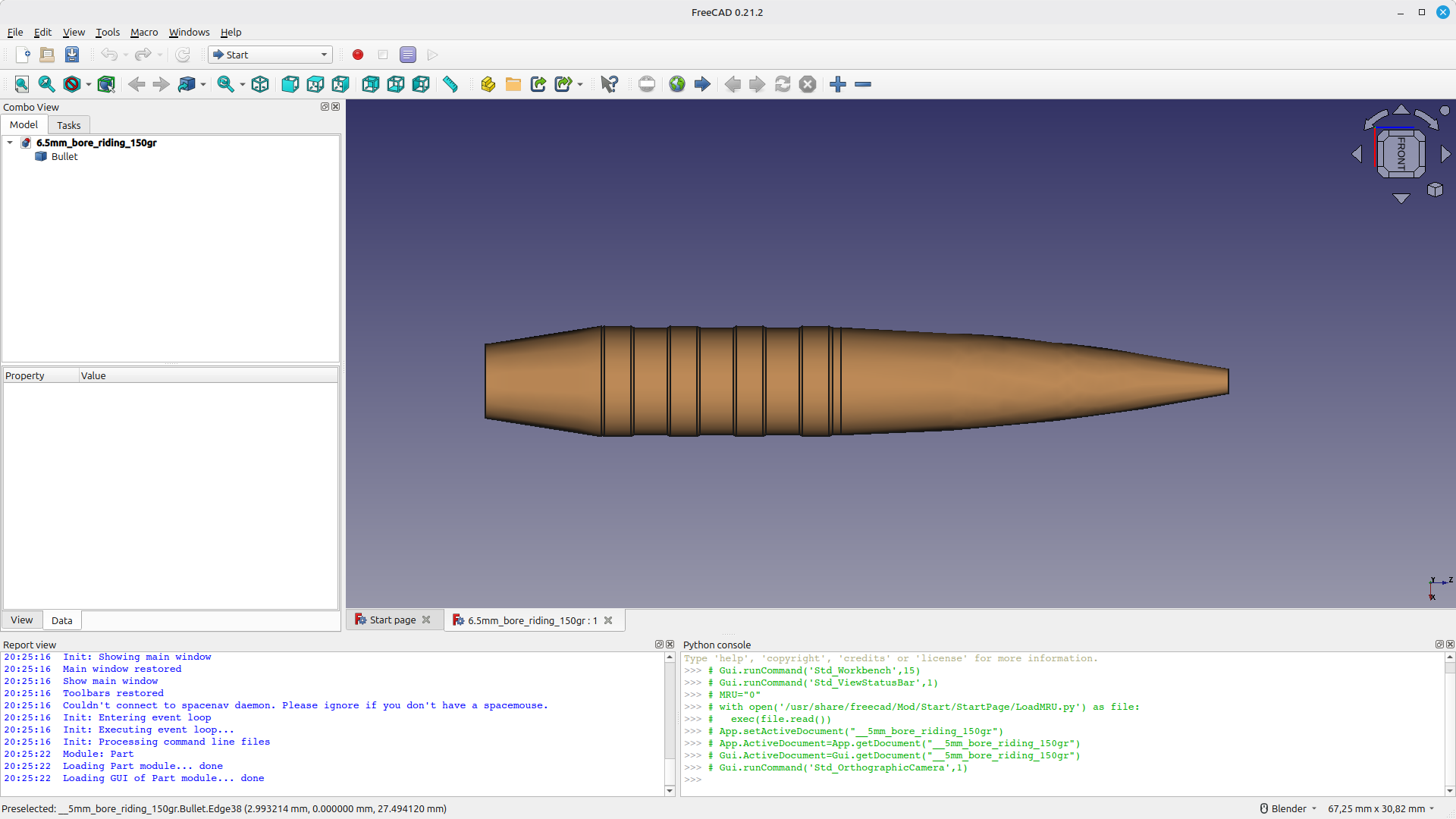
Features
Bullet design
- Fully parametric bullet geometry with live preview.
- Multiple bullet types: land-riding, flat-base, boat-tail, hollow-point.
- Ogive profiles: tangent, secant, elliptical with configurable caliber ratios.
- Configurable driving bands (number, spacing, length).
Ballistic calculations
- Stability factor (Miller's formula with velocity correction).
- Ballistic coefficient (G1, estimated G7).
- Sectional density.
- Recommended twist rate (Greenhill formula).
- Trajectory simulation with transonic zone detection.
- Spin drift estimation (Litz empirical formula).
Other
- Built-in material database (copper, brass, gilding metal, lead, tungsten, steel).
- Export to STEP and STL for manufacturing or 3D printing.
Installation
Use the FreeCAD Addon Manager:
- Open FreeCAD.
- Go to Tools → Addon Manager.
- Search for BulletDesigner.
- Click Install and restart FreeCAD.
Manual installation: clone or download the repository and copy the BulletDesigner folder to your FreeCAD Mod directory:
- Linux: ~/.FreeCAD/Mod/.
- Windows: C:\Users\<username>\AppData\Roaming\FreeCAD\Mod\.
- macOS: ~/Library/Preferences/FreeCAD/Mod/.
Usage
Creating a bullet
- Switch to the BulletDesigner workbench.
- Click Create Bullet or use Bullet Designer → Create → Create Bullet.
- Adjust parameters in the tabbed task panel:
- Basic: diameter, length, weight.
- Ogive: type, caliber ratio, meplat diameter.
- Bands: number, length, spacing.
- Base: flat or boat tail configuration.
- Material: material selection and density.
- Enable Live Preview to see real-time updates.
- Click OK to generate the bullet.
Ballistic calculator
- Select a bullet object (optional — auto-fills parameters).
- Click Ballistic Calculator.
- Enter twist rate, muzzle velocity, and atmospheric conditions.
- Click Calculate.
Results include stability factor (Sg), BC, sectional density, and recommended twist rate.
Driving bands must fit within the body length (total length minus ogive and boat tail length), or the solid will not be generated.
Ballistic formulas
Stability factor (Miller)
Thresholds:
- Monolithic copper/brass: Sg ≥ 1.8.
- Lead-core: Sg ≥ 1.5.
Ballistic coefficient (G1)
Where SD = sectional density and i = form factor (tangent: 0.85, secant: 0.80, elliptical: 0.75).
Sectional density
Requirements
- FreeCAD 0.21 or later.
- Python 3.8 or later.
- PySide2 (included with FreeCAD).
Links
- Source code: GitHub Repository.
- Bug reports and feature requests: Issue Tracker.
License
MIT License.