Silk ControlPoly4 segment
This documentation is not finished. Please help and contribute documentation.
GuiCommand model explains how commands should be documented. Browse Category:UnfinishedDocu to see more incomplete pages like this one. See Category:Command Reference for all commands.
See WikiPages to learn about editing the wiki pages, and go to Help FreeCAD to learn about other ways in which you can contribute.


|
|
| Menu location |
|---|
| Sik → ControlPoly4_segment |
| Workbenches |
| Silk |
| Default shortcut |
| None |
| Introduced in version |
| - |
| See also |
| None |
Description
The  Silk PControlPoly4 segment command creates a 4 node control polygon, a ControlPoly4_segment object, for a segment of a CubicCurve_4, between two points on the curve.
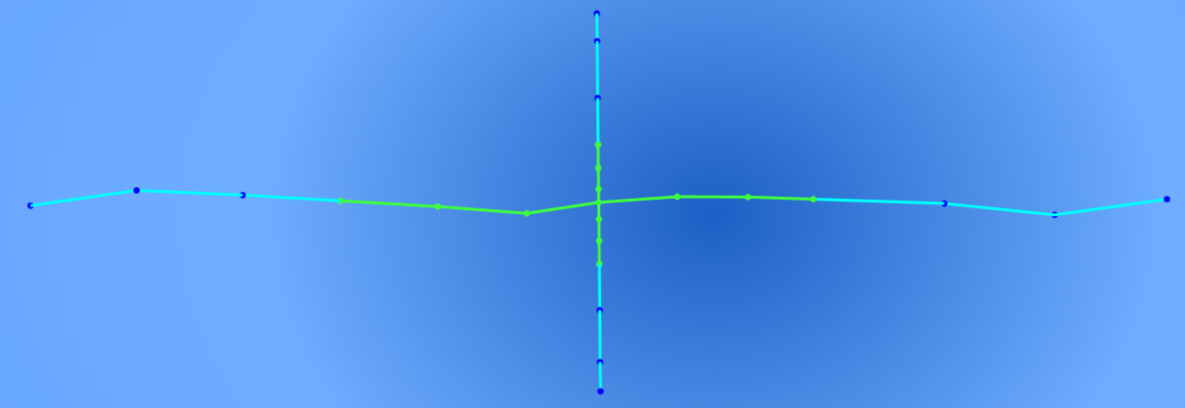
Segmented ControlPoly4´s.
Usage
- Preselect in the Tree View :
- A ControlPoly4 curve.
- The first Point on the curve.
- The second Point on the curve.
- There are several ways to invoke the tool.
- Press the
 ControlPoly4_segment button.
 - Select the Silk → ControlPoly4_segment option from the menu.
- Press the
- A ControlPoly4_segment object is created.
Properties
See also: Property View.
A ControlPoly4_segment is derived from a ..., formally a yyy object and inherits all its properties. It also has the following additional properties:
Data
C1 - Inputs
- DataNL_Curve (
Link): Reference curve. - DataPoint_onCurve_0 (
Link): Segment start point. - DataPoint_onCurve_1 (
Link): Segment end point. - Datareverse (
Bool): Default isFalse. Reverses the parameter direction.
C2 - Outputs
- DataLegs (
Part::PropertyGeometryList): Control segments. - DataPoles (
VectorList): Poles. - DataWeights (
FloatList): Weights.
C3 - Identifiers
- DatainternalName (
String): The permanent internal FreeCAD name for this object. - Dataobject_type (
String): Default isControlPoly4_segment. The workbench class used to create this object. - Dataobject_version (
String): The class version of this object.