Tutorial guidelines
DO NOT TRANSLATE!
This documentation is not finished. Please help and contribute documentation.
GuiCommand model explains how commands should be documented. Browse Category:UnfinishedDocu to see more incomplete pages like this one. See Category:Command Reference for all commands.
See WikiPages to learn about editing the wiki pages, and go to Help FreeCAD to learn about other ways in which you can contribute.
Note
- This is meant as a structured example for style guideline for tutorials. Feel free to incorporate your ideas. Please take large changes that require some discussion to the FreeCAD wiki forum, and keep tests of your formatting on the Discussion page if you are unsure.
- Inspirations & ideas, with comments from yorik and normandc:
- http://manuals.info.apple.com/MANUALS/1000/MA1569/en_US/ipad_2_user_guide.pdf
- https://docs.djangoproject.com/en/1.6/
- Tutorials are not a standalone link but each section should have a box with related leaning material and tutorials
- http://www.blender.org/support/tutorials/}}
- Existing guidelines to follow:
- The GuiCommand_model describes how to document commands.
- Changing the source text describes how to edit the text of pages used as a the source for translations.
- Markup Examples describes how to handle different markup situations dealing with pages used as a the source for translations.
- Existing tutorials on the wiki of high quality:
- Useful resources:
- Templates used on the FreeCAD wiki
- Very useful templates: Template:Screenshot, Template:BIMTutorialAction, Template:Page_in_progress,
 Tutorial Tutorial
|
| Topic |
|---|
| {{{Topic}}} |
| Level |
| What level of user is it meant for? |
| Time to complete |
| How long does it take to complete? |
| Authors |
| Add a link to your forum profile |
| FreeCAD version |
| What FreeCAD version are you using? |
| Example files |
| None |
| See also |
| None |
Introduction
Hello readers, the following document is meant as both a proof of concept and as a test platform to try new ideas; this in order to set a new standard in the creation of tutorials. Hopefully you will find it useful whether as a real guideline or as reference material. And so, without further ado allow me to describe each section of the document. What you are reading right now is meant to be used as a brief summary for your work, perhaps mentioning what workbenches you will use and screenshot of the finished project to use as a thumbnail (hopefully someone will figure how to do it). The box to the right is a new template for tutorials in which concise information can be obtained, such as author, FreeCAD version, and the intended user level.

Tutorial Guidelines: Links and descriptions within the template Rightbox should be meant as a tool to reference other wiki pages that may aid in the comprehension of the tutorial. Such as a link to the Part Workbench.
Video tutorials: Discover the extensive collections of FreeCAD videos made by community members
Welcome!
Lorem ipsum dolor sit amet, consectetur adipiscing elit, sed do eiusmod tempor incididunt ut labore et dolore magna aliqua. Ut enim ad minim veniam, quis nostrud exercitation ullamco laboris nisi ut aliquip ex ea commodo consequat. Duis aute irure dolor in reprehenderit in voluptate velit esse cillum dolore eu fugiat nulla pariatur. Excepteur sint occaecat cupidatat non proident, sunt in culpa qui officia deserunt mollit anim id est laborum.
Welcome!
Lorem ipsum dolor sit amet, consectetur adipiscing elit, sed do eiusmod tempor incididunt ut labore et dolore magna aliqua. Ut enim ad minim veniam, quis nostrud exercitation ullamco laboris nisi ut aliquip ex ea commodo consequat. Duis aute irure dolor in reprehenderit in voluptate velit esse cillum dolore eu fugiat nulla pariatur. Excepteur sint occaecat cupidatat non proident, sunt in culpa qui officia deserunt mollit anim id est laborum.
Welcome!
Lorem ipsum dolor sit amet, consectetur adipiscing elit, sed do eiusmod tempor incididunt ut labore et dolore magna aliqua. Ut enim ad minim veniam, quis nostrud exercitation ullamco laboris nisi ut aliquip ex ea commodo consequat. Duis aute irure dolor in reprehenderit in voluptate velit esse cillum dolore eu fugiat nulla pariatur. Excepteur sint occaecat cupidatat non proident, sunt in culpa qui officia deserunt mollit anim id est laborum.
Avoid abusing boxes, however. Perhaps one per two sections of the tutorial might be enough.
Note that you can include images wihtin the boxes as well.
Welcome!
Lorem ipsum dolor sit amet, consectetur adipiscing elit, sed do eiusmod tempor incididunt ut labore et dolore magna aliqua. Ut enim ad minim veniam, quis nostrud exercitation ullamco laboris nisi ut aliquip ex ea commodo consequat. Duis aute irure dolor in reprehenderit in voluptate velit esse cillum dolore eu fugiat nulla pariatur. Excepteur sint occaecat cupidatat non proident, sunt in culpa qui officia deserunt mollit anim id est laborum.
Welcome!
Lorem ipsum dolor sit amet, consectetur adipiscing elit, sed do eiusmod tempor incididunt ut labore et dolore magna aliqua. Ut enim ad minim veniam, quis nostrud exercitation ullamco laboris nisi ut aliquip ex ea commodo consequat. Duis aute irure dolor in reprehenderit in voluptate velit esse cillum dolore eu fugiat nulla pariatur. Excepteur sint occaecat cupidatat non proident, sunt in culpa qui officia deserunt mollit anim id est laborum.
Welcome!
Lorem ipsum dolor sit amet, consectetur adipiscing elit, sed do eiusmod tempor incididunt ut labore et dolore magna aliqua. Ut enim ad minim veniam, quis nostrud exercitation ullamco laboris nisi ut aliquip ex ea commodo consequat. Duis aute irure dolor in reprehenderit in voluptate velit esse cillum dolore eu fugiat nulla pariatur. Excepteur sint occaecat cupidatat non proident, sunt in culpa qui officia deserunt mollit anim id est laborum.
Remember that it is possible to use boxes to occupy the entire width of the page. This can be useful to highlight something or to create a gallery. Below are two styles to present a gallery.
|
|
-
 Astronotus ocellatus (Oscar)
 -
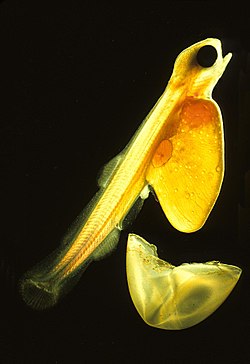 Salmo salar (Salmon Larva)
 -
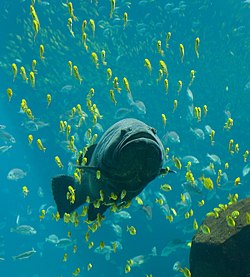 Epinephelus lanceolatus (Giant grouper)
 -
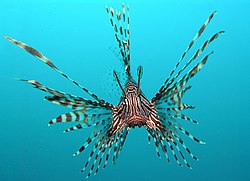 Pterois volitans (Red Lionfish)
 -
 Macropodus opercularis (Paradise fish)
 -
 Canthigaster valentini (Valentinni's sharpnose puffer)
 -

 Dactylopterus volitans (Flying gurnard)
 -
 Semicossyphus pulcher (California Sheephead)


.jpg)


