Macro FCSpring Helix Variable/de
|
|
| Beschreibung |
|---|
| Dieses Makro erstellt eine Feder mit anpassbaren Eigenschaften. Jede Windung kann die Federkonfiguration ändern, die in einer Datei mit der Erweiterung .FCSpring gespeichert werden kann, oder Koordinaten in einer .FCSpringCoor-Datei. Erkannt werden: Fläche (Ausrichtung), Zylinder (Radius), Ellipse (Nebenradius), Kugel (Radius), Toroid (Radius1), Ebene (Ausrichtung), Linie (der Richtung folgend), Feder einer Pfadlinie folgend, Punkt (XYZ-Position eines Knotenpunktes) Wenn kein Objekt erkannt wird (keine Auswahl), wird die Feder am Punkt XYZ 0,0,0 erstellt. Siehe die Beispiele
|
| Autor |
| Mario52 |
| Herunterladen |
| Werkzeugleisten-Symbol |
| Links |
| Makros Rezepte Wie man Makros installiert Symbolleisten anpassen |
| Macro-Version |
| 01.20 |
| Datum der letzten Änderung |
| 2026/05/14 |
| FreeCAD-Version(s) |
| 0.19 und höher |
| Standardverknüpfung |
| None |
| Siehe auch |
| None |
Beschreibung
Dieses Makro erstellt eine hochgradig anpassbare Feder. Jede Änderung an der Federkonfiguration kann in einer Datei mit der Erweiterung .FCSpring oder Koordinaten .FCSpringCoor gespeichert werden.
Erkannt werden: Fläche (Flächenrichtung), Zylinder (Radius), Ellipse (Nebenradius), Kugel (Radius), Toroid (Radius1), Ebene (Richtung), Linie (der Richtung folgend), Punkt (XYZ-Scheitelpunktposition)
Wenn kein Objekt erkannt wird (keine Auswahl), wird die Feder am Punkt XYZ 0., 0., 0. erstellt.
Temporary code for external macro link. Do not use this code. This code is used exclusively by Addon Manager. Link for optional manual installation: Macro
# This code is copied instead of the original macro code
# to guide the user to the online download page.
# Use it if the code of the macro is larger than 64 KB and cannot be included in the wiki
# or if the RAW code URL is somewhere else in the wiki.

from PySide import QtGui, QtCore

diag = QtGui.QMessageBox(QtGui.QMessageBox.Information,
    "Information",
    "This macro must be downloaded from this link\n"
    "\n"
    "https://gist.githubusercontent.com/mario52a/68c81c32a0727a693d3a/raw/0c0f7a9380d975c975d3f78eaab5da1ee3ef5eb4/Macro_FCSpring_Helix_Variable.FCMacro" + "\n"
    "\n"
    "Quit this window to access the download page")

diag.setWindowFlags(QtCore.Qt.WindowStaysOnTopHint)
diag.setWindowModality(QtCore.Qt.ApplicationModal)
diag.exec_()

import webbrowser
webbrowser.open("https://gist.githubusercontent.com/mario52a/68c81c32a0727a693d3a/raw/0c0f7a9380d975c975d3f78eaab5da1ee3ef5eb4/Macro_FCSpring_Helix_Variable.FCMacro")

FCFeder-Helix-Variable
Anwendung
Dieser Abschnitt dient zur Konfiguration der Feder.
Schematische Darstellung der Federkonfiguration

Grafische Benutzeroberfläche

Konfiguration
- 10 coils
 Number of coil : Gesamtzahl der Spulen pro Feder. Standardwert = 10
 - 20,000 mm Radius of spring : Federradius. Standardwert = 20,0
- 15,000 mm Pitch of spring : Steigung der Feder, allgemein. Standardwert = 15,0
- 5 ( 72 points ) Precision of turn : Die Drehgenauigkeit entspricht der Anzahl der Punkte pro Umdrehung der Spule und wird wie folgt berechnet: Genauigkeit (Anzahl Punkte) = (Steigung / (360/Genauigkeit)). Standardwert = 5 (72 Punkte)
- 20,000 mm : Radius des großen Kreises des Kegels (das Kontrollkästchen
 Spring conical zur Verwendung aktivieren)
  Spring conical : Aufgrund des großen Durchmessers des Kegels ist diese Abmessung immer größer als der Radius.
- Angles : Das Kontrollkästchen aktivieren, um die Funktion Beginn- und Endwinkel der Spule zu aktivieren. Diese Option ist standardmäßig deaktiviert. Wenn die Funktion aktiviert ist, wird die Genauigkeit automatisch auf „ precision“ (Präzision) gesetzt und 1 (360 Punkte) auf 1 (360 Punkte pro Umdrehung, 1 Punkt = 1 Grad) eingestellt.
- 0 deg Begin : Anfangswinkel der ersten Windung der Feder.
- 360 deg End : Endwinkel der letzten Windung der Feder.


Linientype

 Bspline BSpline : Linienart BSpline.
 Wire Wire : Linienart Linienzug.
-
 Points Points : Das Kontrollkästchen aktivieren, wenn das Kontrollkästchen aktiviert ist, wird an jedem Punkt ein Punkt erstellt.
 - Reverse Reverse : Das Kontrollkästchen aktivieren, wenn das Kontrollkästchen aktiviert ist, ändert die Feder ihre Richtung.


Optionen
Dieser Abschnitt wird angezeigt, wenn ein Objekt ausgewählt ist. Das Typ-Objekt wird im Texteditor angezeigt.
Das Objekt kann eine Linie, zwei Punkte, ein Kreis, ein Linienzug ... sein. Eine Achse, die der Länge der Feder entspricht, wird automatisch erstellt.
Erkennung: Zylinder (Radius), Kugel (Radius), Toroid (Radius), Kegel (kleiner Radius), Kreis (Radius), Bogen (Radius), Ellipse (kleiner Radius)
- Normal : Wenn ein Kreis ausgewählt ist, wird Normal den Radius des Kreises nicht ändern (Standard)
- Adapt Rad. : Wenn die Schaltfläche Normal gedrückt wird, ändert sich die Schaltfläche zu Adapt Rad. und die Feder wird an den erkannten Radius angepasst (sofern ein Radius erkannt wird).
- Point Mouse : Wenn sich der Mauszeiger auf einer Fläche befindet, wird die Feder an diesem Punkt erstellt (Standard).
- Center Face : Wenn die Schaltfläche Point Mouse gedrückt wird, ändert sich die Schaltfläche zu Center Face und die Feder wird auf der ausgewählten Mittelfläche erstellt.
- Position Position : Wenn zwei Objekte ausgewählt sind (erstes Objekt: Achse, zweites Objekt: Feder (oder anderes Objekt)), ist dieses Kontrollkästchen aktiviert und es kann das zweite Objekt (Feder) entlang des ersten Objekts (Achse) verschoben werden. Wenn dieses Kontrollkästchen Position aktiviert ist, ist die Option „Position“ zur Verwendung freigegeben.
- Circle : Wenn drei Punkte mit der Maus ausgewählt werden, wird die Schaltfläche Circle aktiviert und es kann ein Kreis erstellt werden, der als Basis für eine Feder dienen kann.


Feder entlang eines Linienzuges winden


Position (0)(xx)
(0)(xx) : Nummernauswahl(en), Länge in mm der erstellten Achse x 10, gleiche Anzahl von Punkten zum Verschieben der Feder der Achse
- Begin/End : Die Feder auf der Anfangs-, Mittel- und Endachse positionieren.
- Reverse Spr. : Die Feder der Achse umkehren
- 0,1 mm : Die Feder mit einer Genauigkeit von 0,1 mm entlang ihrer Achse verschieben
- Reverse Count. : Zähler umkehren, z. B.: Beginn 0 bis 10.. oder Ende 0 bis 10..
- Schieberegler : Die Feder auf ihrer Achse positionieren.

Spulen-Sonderabmessung
- Num: 2 Numbering of coil : Nummerierung der zu ändernden Spule. (Standard: keine)
- Smoothing Smoothing Dieses Kontrollkästchen entdeckt ein Drehfeld zur Bestimmung des Glättungsgrades. Der Maximalwert ist der Präzisionswert -1 (diese Option befindet sich noch im Prototypenstadium und das Ergebnis kann zufriedenstellend oder völlig falsch sein).
- 0,000 mm Pitch of coil : Spulenabstand zum Ändern. (Standard: keine)
- 15.0 mm : Wenn die Taste gedrückt wird, wird der Wert „Tonhöhe der Saite“ von der „Tonhöhe der Spule“ beeinflusst (dieser Wert wird automatisch an den Wert „Tonhöhe der Saite“ angepasst).
- 0,000 mm Radius of coil : Radius der zu modifizierenden Spule. (Standard: keine)
- 20.0 mm : Wenn die Schaltfläche gedrückt wird, wird der Wert „Radius der Schnur“ vom Wert „Radius der Spule“ beeinflusst (dieser Wert wird automatisch an den Wert „Radius der Schnur“ angepasst).
 Den geänderten Wert akzeptieren : Schaltfläche zum Akzeptieren der Änderung nach Auswahl der Spulenanzahl und Änderung des Spulenabstands.
- Text edit : In diesem Fenster wurden alle modifizierten Spulen angezeigt.
- Clear : Den Texteditor bereinigen
- Zoom : Schaltfläche „Zoom“ zum Vergrößern des Textbearbeitungsfensters

Befehl
 Load : Die Schaltfläche Load öffnet ein Dialogfeld zum Lesen einer Datei .FCSpring.
 Save : Die Schaltfläche Save öffnet ein Dialogfeld zum Speichern einer Datei .FCSpring mit Federkonfiguration modifizieren oder nicht.
 Load Coordinates : Ein Dialogfeld öffnen, um eine Datei .FCSpringCoor (alle Koordinaten der Punkte der Feder) zu lesen.
 Save Coordinates : Ein Dialogfeld öffnen, um eine Datei .FCSpringCoor (alle Koordinaten der Punkte der Feder) zu speichern.
 Quit : Das Makro beenden.
 Reset : Das Makro auf die Standardkonfiguration zurücksetzen.
 Launch : Das Makro starten und die konfigurierte Feder erstellen.
- Help : Diese Schaltfläche zeigt die Wiki-Seite im FreeCAD-Browser an.

Ausgabefenster
Die Fensterberichtansicht zeigte alle geänderten Werte an.

Beispiel Feder
Beispiel für die modifizierte Feder

Beispiel Ausgabefenster
Wenn das Makro gestartet wird, wird die vollständige Liste der Umdrehungen in Tabellenform angezeigt.
Hier die Daten der oben gezeigten Feder, angezeigt im Ausgabefenster Datei:Macro FCSpring Helix Variable 08.png
Symbol
Das Dateisymbol herunterladen und in das eigene Makro-Verzeichnis kopieren.
Auf das Bild klicken, im neuen Fenster die Maus über dem Bild positionieren, mit der rechten Maustaste klicken und "Ziel speichern unter ..." wählen.
Werkzeugleisten-Symbol

Makro-Symbole


Skript
Macro_FCSpring_Helix_Variable.FCMacro
Das Makro von Gist herunterladen. Macro_FCSpring_Helix_Variable
Installation
Die oben genannte Datei ist ein Makro in Form von GitHub-Code. Die Zip-Datei auf GitHub herunterladen und dann die Makro-Installationsanweisungen für Anfänger unter installing FreeCAD macros in Ubuntu befolgen.
Beispiele
-
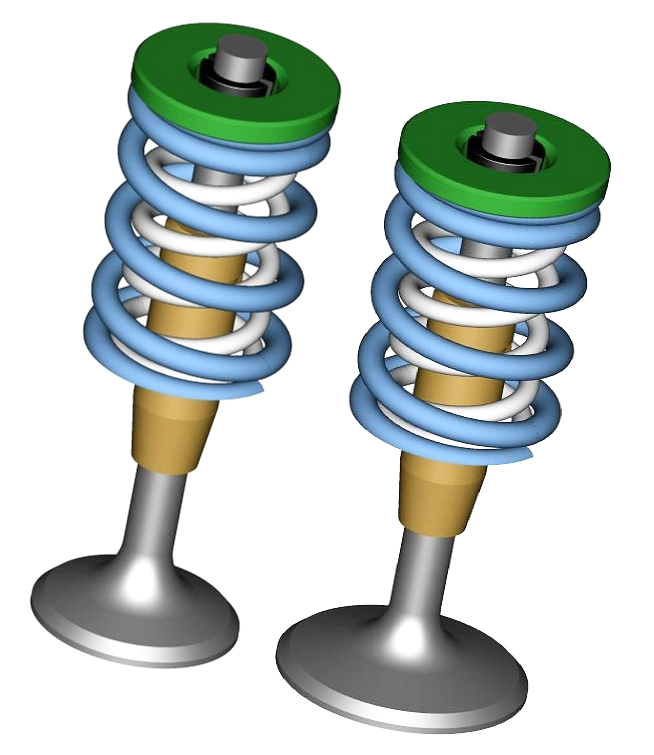 Ventilbaugruppe IN EX mit Genehmigung und erstellt von r.tec siehe Einlass- und Auslassventilbaugruppe und Spiralfeder danke r.tec


-
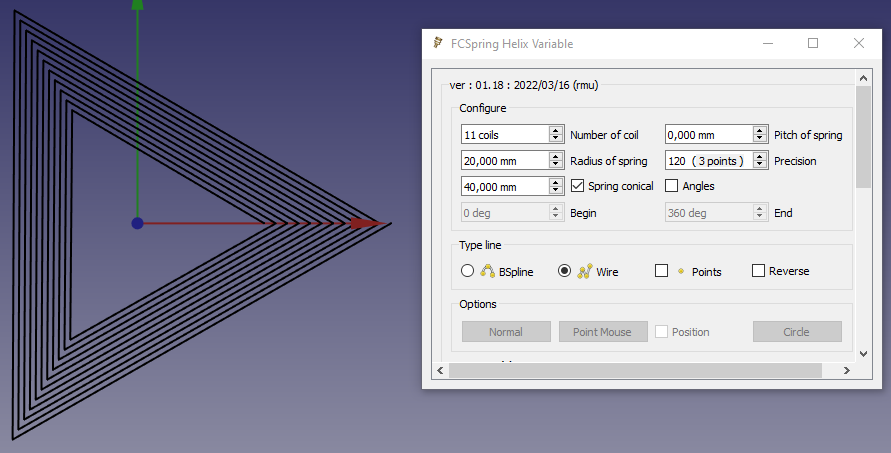 Beispiel für eine polygonale Spirale mit drei Punkten
 -
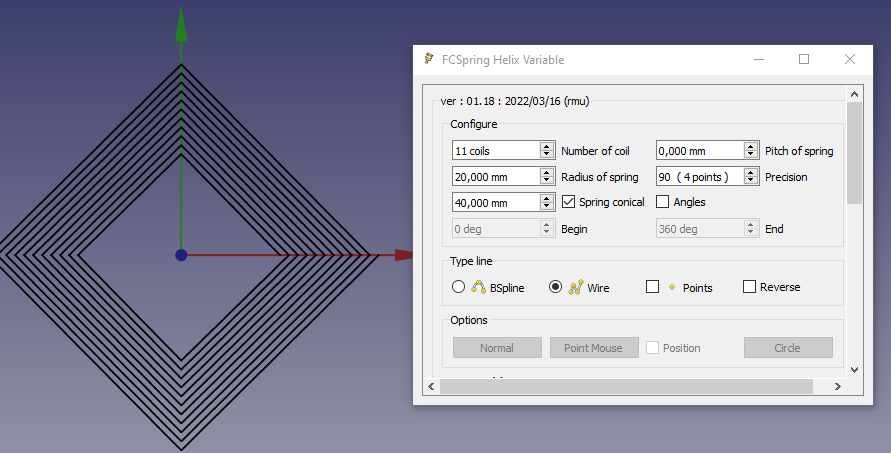 Beispiel für eine polygonale Spirale mit vier Punkten


-
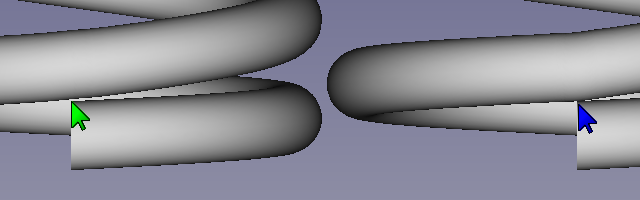 Unterschied zwischen Glatt (hier 71 mit einer Genauigkeit von 5 (72 Punkte)) und Normal

-
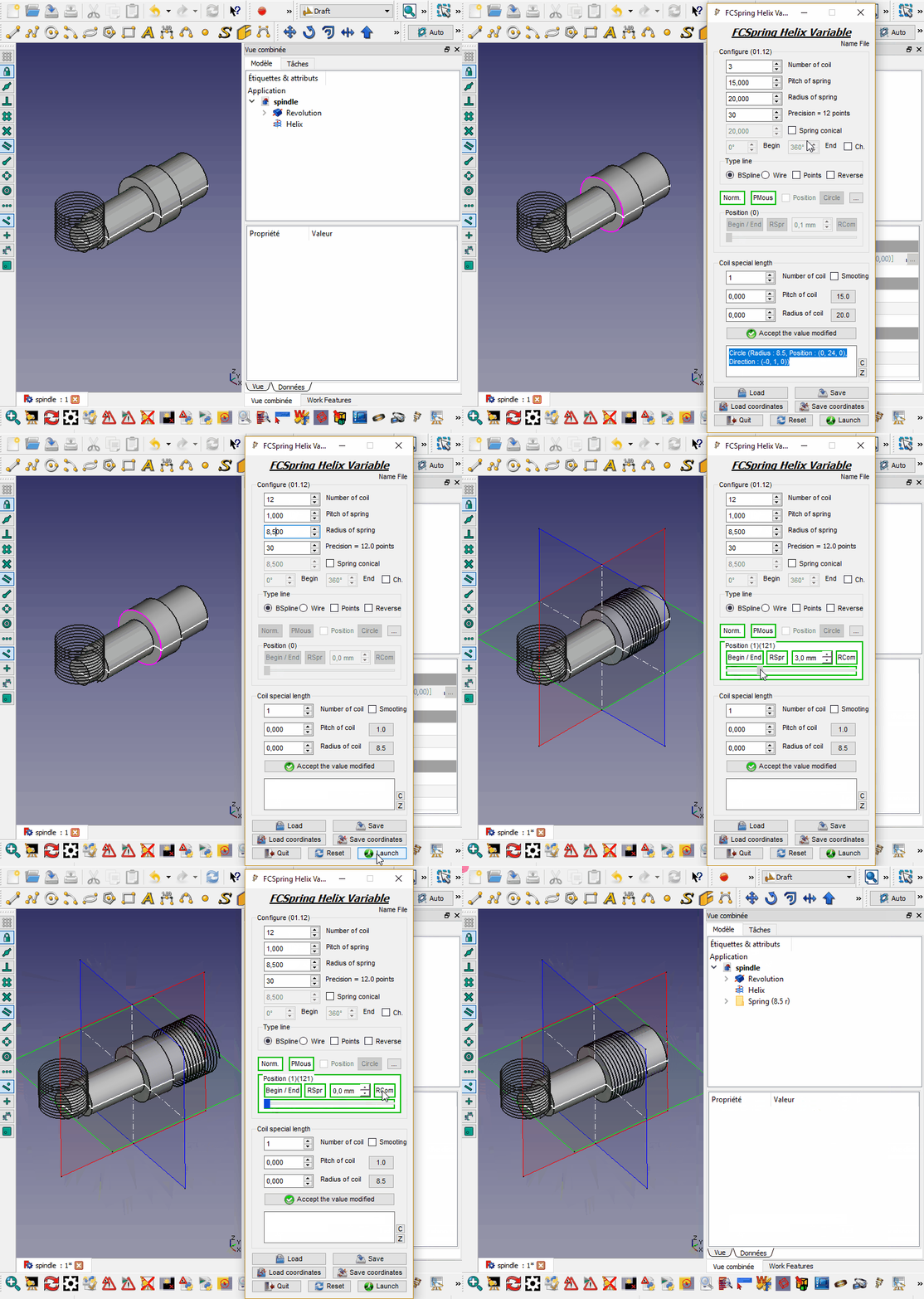 Beispiel

-
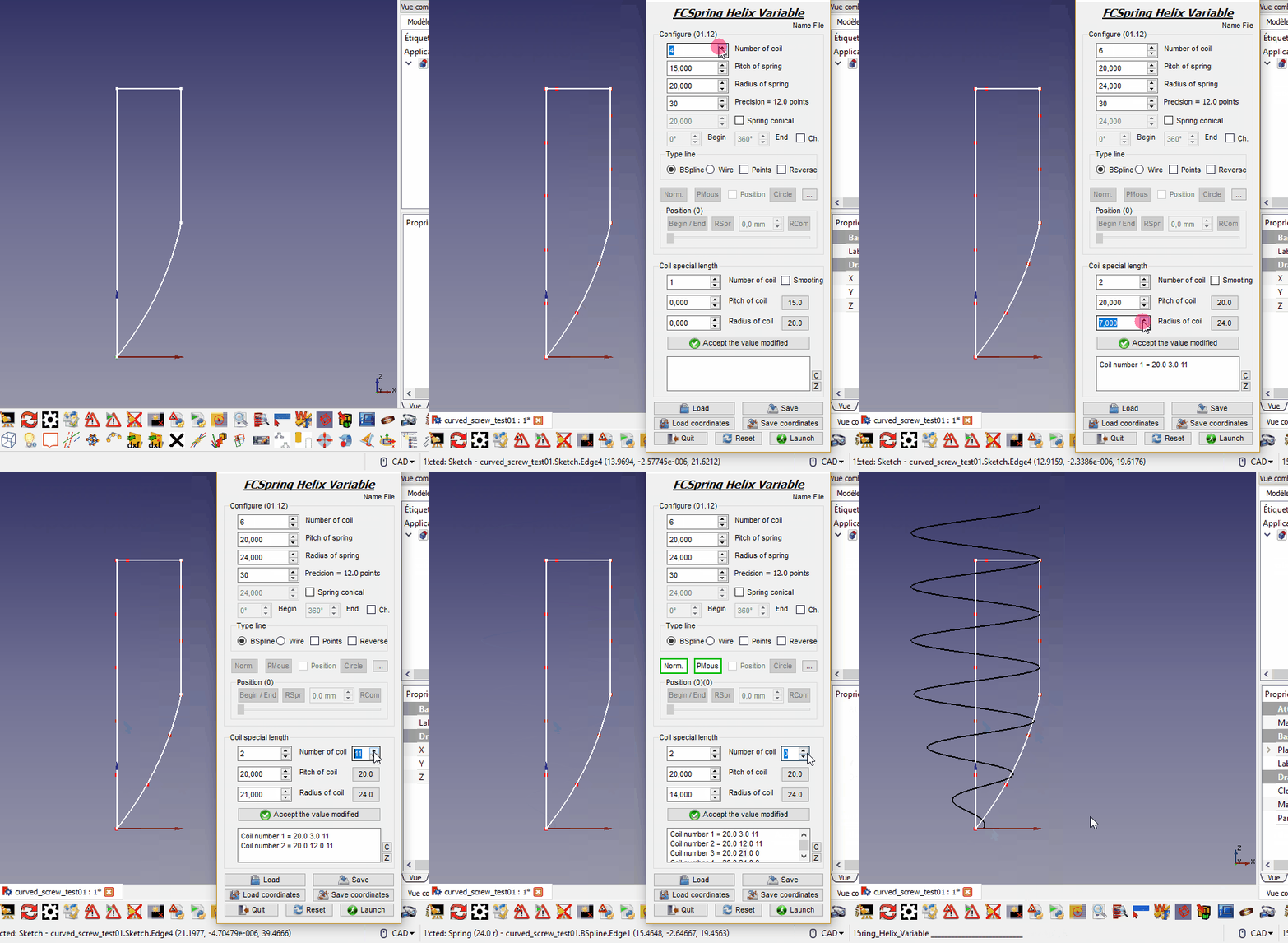 Beispiel: Konische Feder erstellen

-
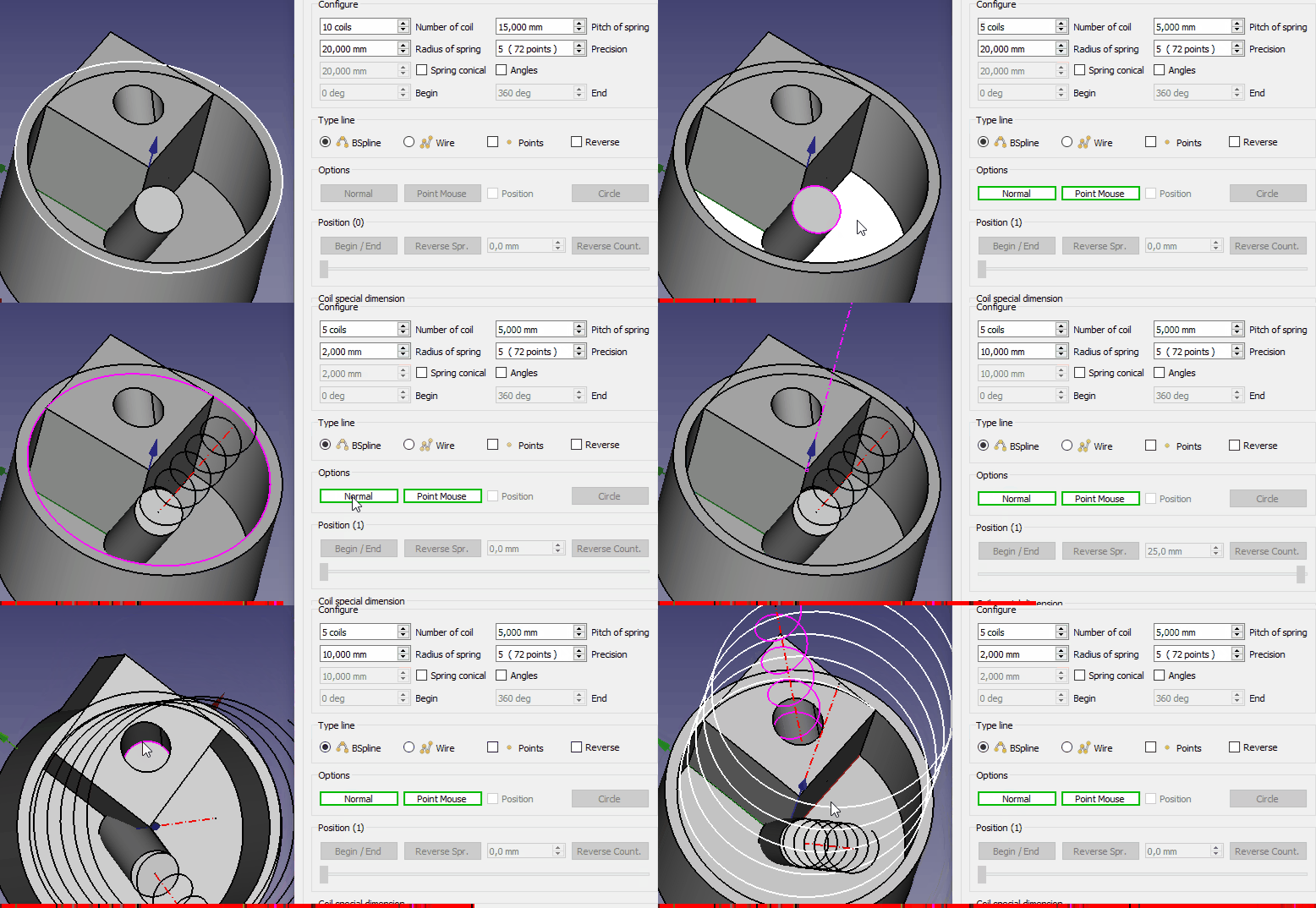 Beispiel: Feder auf Kreis erstellen
 -
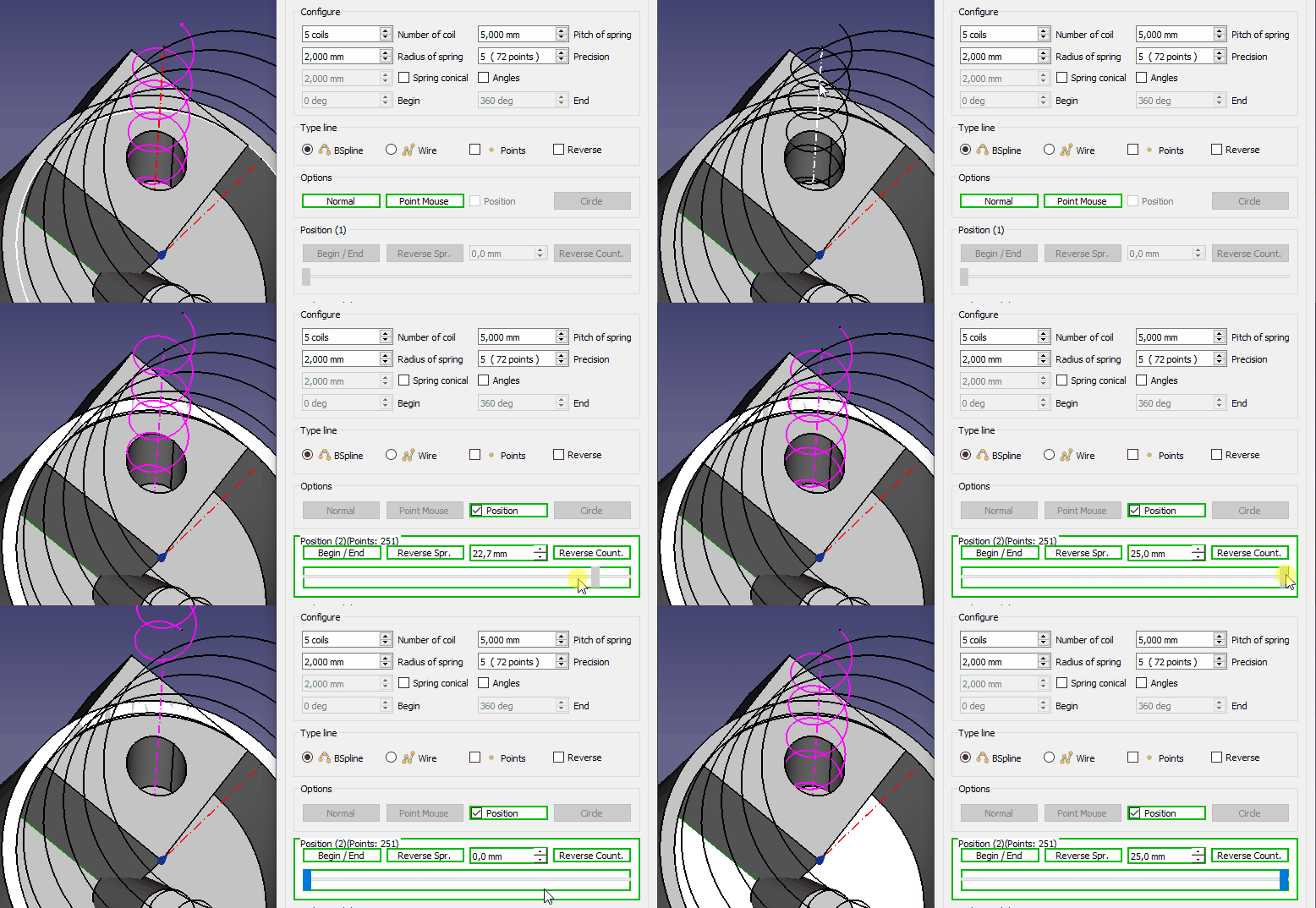 Entlang der Achse bewegen


Verweise
Diskussion im FreeCAD-Forum: Try to do a Spring
Projekt
Feder, massiv, abgestumpft
Armaturen weich machen: erledigt
Durchmesser an jede Spule anpassen: erledigt
Version
2026/05/14 Version=01.20 Feder einem Pfad folgend hinzugefügt
11/07/2024 version 01.19 "import WebGui" gelöscht und durch "import webbrowser" ersetzt und Filter für OS Linux Mint angepasst
2023/09/01 Version 0.18c FreeCAD.activeDocument().recompute(None,True,True) hinzugefügt, Text in italics "Fehler" behoben durch Syres danke How to draw polygonal spirals in Freecad?
2023/09/01 Version 0.18b den Code korrigiert (angepasst):
self.PB_Adapt_Radius.setStyleSheet("background-color: QPalette.Base")
to
self.PB_Adapt_Radius.setStyleSheet("QPushButton {background-color: QPalette.Base}")
2022/03/16 Version 0.18 : Scrollbar hinzufügen, Möglichkeit zum Andocken links oder rechts, Chrono wiederherstellen (time.time()), letzten Dateipfad speichern
####chrono################
import time
global depart ; depart  = 0.0
global arrivee; arrivee = 0.0
def chrono(switch):    # 0=depart autre=stop
#time.strftime('%X %x %Z')#'15:44:07 12/14/19 Paris, Madrid'
    global depart
    global arrivee
    try:
        if switch == 0:
            depart = time.time()#time.clock()
            App.Console.PrintMessage("Chrono begin   : "+str(time.strftime('%X'))+"\n")
        else:
            arrivee = time.time()#time.clock()
            App.Console.PrintMessage("Chrono end     : "+str(time.strftime('%X'))+"\n")
            parcouru = ((arrivee - depart)/60.0)
            App.Console.PrintError("Time execution : "+str("%.3f" % parcouru)+" min"+"\n\n")
        return parcouru
        FreeCADGui.updateGui()
    except Exception: None
####chrono################
2020/11/12 Version=01.17 : Unterdrücke den Timer Chrono!!
2020/10/18 Ver 00.16b : Ich unterdrücke den Test in FC 18 Zeile 56, ich unterdrücke den Timer Chrono und ich warte ein wenig.
2020/05/01 Ver 00.16: Korrekturfehlerdatei (speichern und laden) verursacht Unterdrückung von "label_11_Name"...
2020/04/11 Ver 01.15: Layout und kleine Präsentation
2019/05/03 Ver 01.14: Kompatibel mit FreeCAD 0.19.16523 (Git)
2019/04/08 Ver 01.13: Kompatibel mit FreeCAD 0.18.16093 (Git) / Python-Version: 3.6.6 / Qt-Version: 5.6.2
03/04/2017: ver 01.12: Korrektur Fehler Zeile 2314 "global ui" hinzugefügt
11/12/2016: ver 01.11: Position der Feder auf einem ausgewählten Objekt hinzufügen
10/09/2016: ver 01.10: Hinzufügen der Schaltfläche "Zoom" zum Vergrößern des Textbearbeitungsfensters
04/09/2016: ver 01.09: Glätten hinzugefügt
16/03/2016: ver 01.08 : Korrigiere und füge "int()" zu debutAngle und finAngle hinzu (Datei lesen).
02/03/2016: ver 01.07 : Option Umkehrfeder hinzugefügt
08/02/2016: ver 01.06 : Korrektur der Fehlerursache Winkel "modifyAngle = int(file.readline().rstrip('\n\r')) # 9" modifyAngle is int() not char
07/01/2015: ver 01.05 : Hinzufügen von "Try ...Except" (Datenkonus) für Kompatibilität mit alter Version
07/01/2015: ver 01.04 : "spring conical" hinzufügen, den Pfad zu "UserAppData" ändern und das Symbol hinzufügen.
07/12/2014: ver 01.03 : Neue Version mit einstellbarer Radiusspule
17/11/2014: ver 1.02 : Neue Version mit grafischer Benutzeroberfläche und Möglichkeit, jede Spule zu modifizieren und die Daten auf der Festplatte zu speichern oder zu laden.
10/11/2014: (23h20) Korrektur der Änderung
ligne.Placement = App.Placement(App.Vector(0.0,0.0,0.0), App.Rotation(App.Vector(0,0,1),angleTr), App.Vector(0,0,0))
10/11/2014: Zeile 44 angepasst :
a = FreeCAD.ActiveDocument.Line.Placement=App.Placement(App.Vector(0.0,0.0,0.0), App.Rotation(App.Vector(0,0,1),angleTr), App.Vector(0,0,0))
zu
ligne = FreeCAD.ActiveDocument.Line.Placement=App.Placement(App.Vector(0.0,0.0,0.0), App.Rotation(App.Vector(0,0,1),angleTr), App.Vector(0,0,0))
6/11/2014 : "makeBSpline" hinzugefügt und Konfiguration hinzugefügt
Einschränkungen
Hier sind die Fehler, die ich bei den Sweep-Tests festgestellt habe!
-
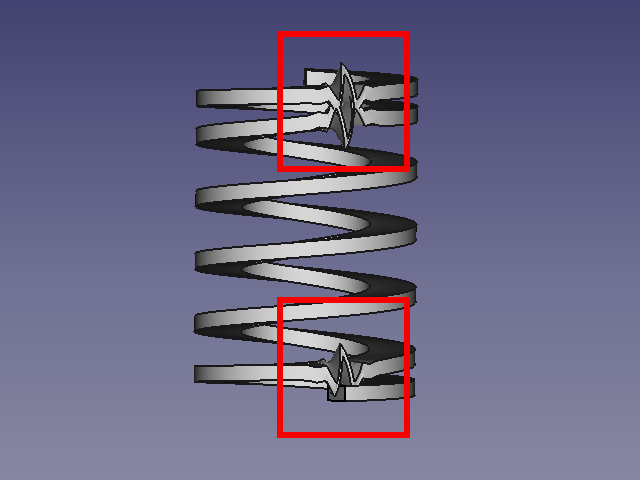 Derzeit ist das Makro nicht für Quadrate, Rechtecke usw. geeignet.
Nur Kreise funktionieren gut.

-
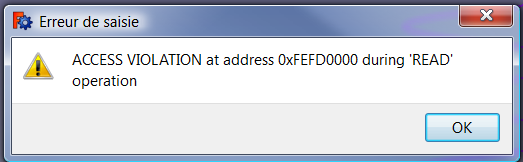 Zugriffsverletzung
 -
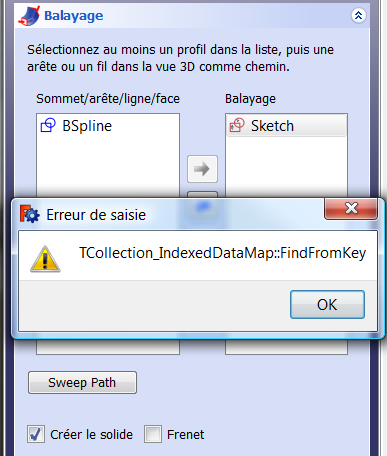 TCollection_IndexedDataMap


-
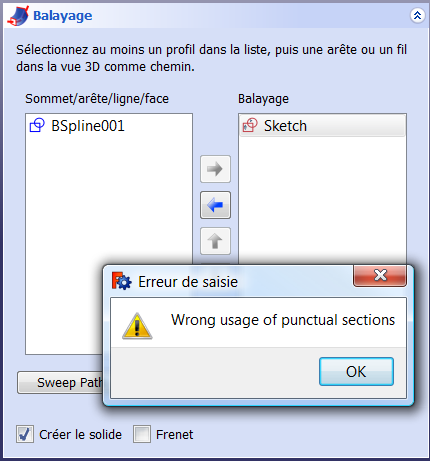 Falsche Verwendung von punktuellen Abschnitten


